
Most destination teams do not make these decisions alone. There is a director who wants to see the itinerary, a board that approves the spend, a committee that has opinions about which creator to pick, and partners who need to know when someone is showing up at their property. Getting all of them looped in is now easier than ever with a Shrpa Creator Visit!
You are able to build the visit and share the publicly available link or PDF, allowing people to review it without ever needing a Shrpa login.
Start with the Visit Planning Worksheet
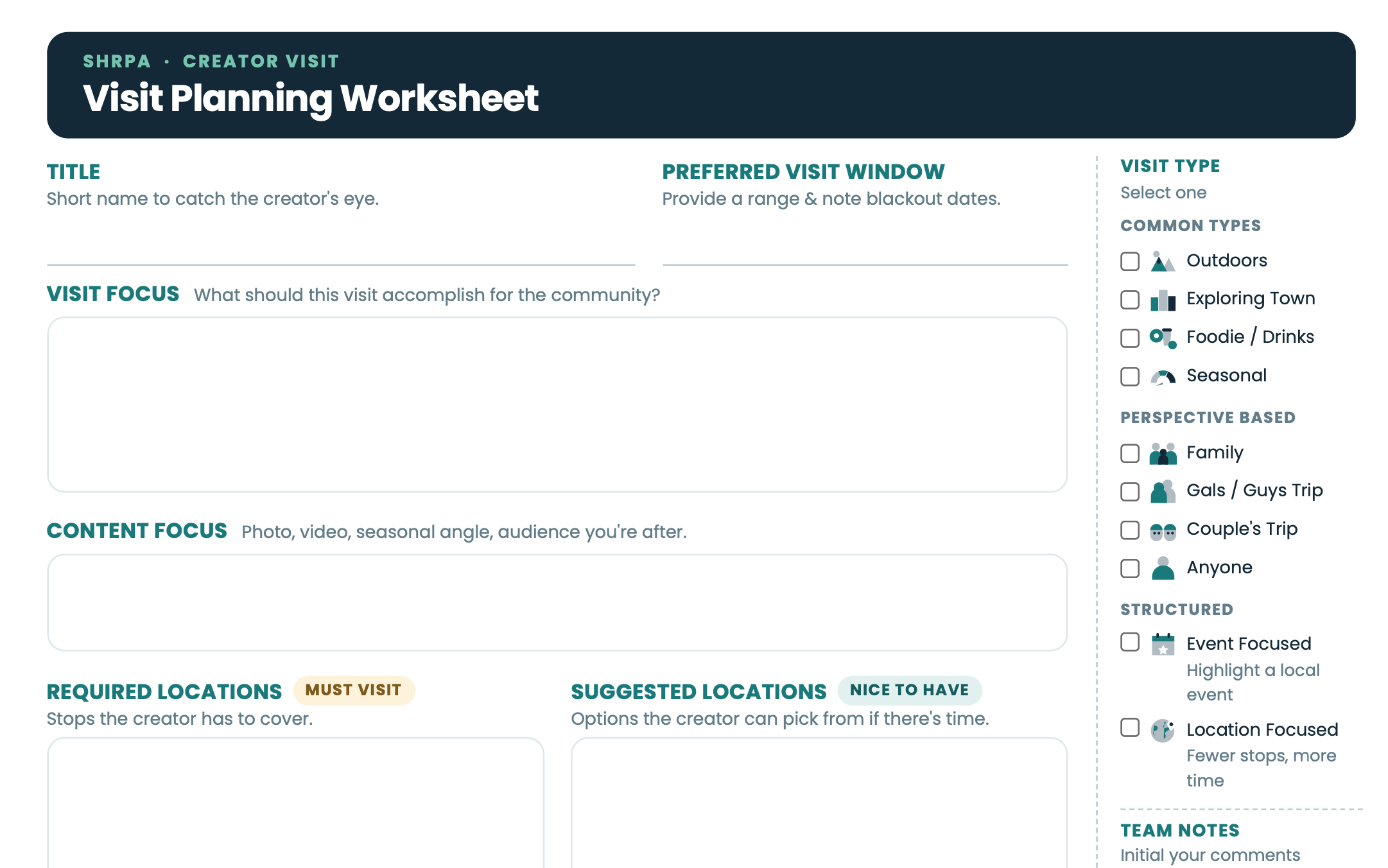
Everything begins here. The Visit Planning Worksheet walks your team through the details a creator actually needs: the visit window you are aiming for, what it should accomplish for your community, the content focus you are after, the stops a creator has to cover versus the ones they can pick from if there is time, and the type of visit you have in mind.
It is built to be printed. Take copies into a board meeting, hand them around to your partners, and shape the visit together while everyone is in the room, with a Team Notes column where people can initial their comments. Working it out on paper first means that when you do come back to the platform to draft the visit, you are typing up something your group has already agreed on rather than starting a conversation.
Share the draft for review
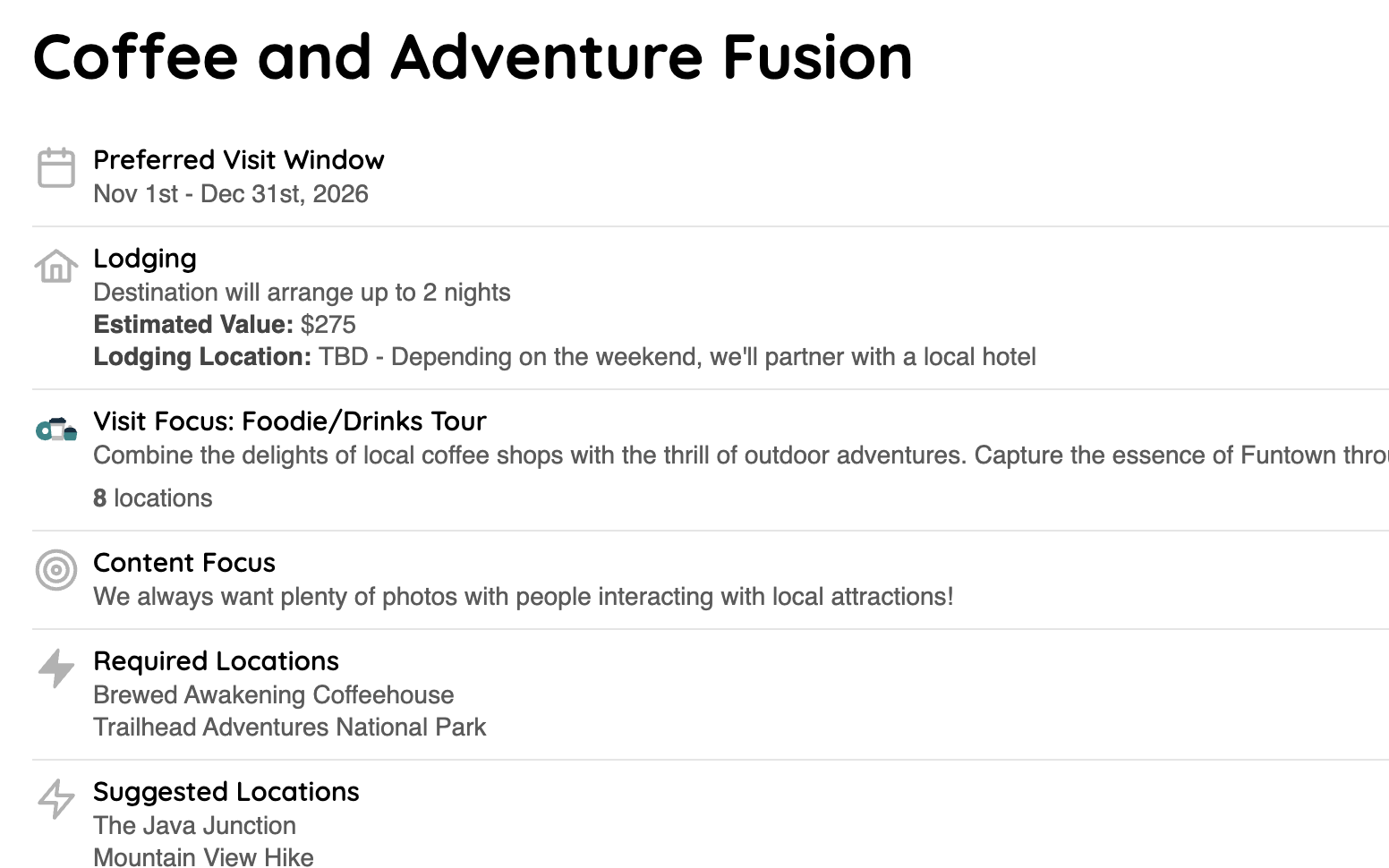
A visit stays a draft until you post it, and that gap is where the review happens. From the draft you can share a public link or generate a printable PDF, then send whichever one suits the person you are asking.
- The public link opens in any browser, on a phone or a laptop, with nothing to install and no account to create. It is the fast option for a colleague or a partner who just needs to confirm one detail.
- The printable PDF is for the packet that goes out ahead of a board meeting, or for the reviewer who would genuinely rather mark up paper.
Collect the notes that come back, make the edits in the planning form, and the shared link shows the updated plan. When everyone is satisfied, post the visit and creators can start applying.
Review applicants together
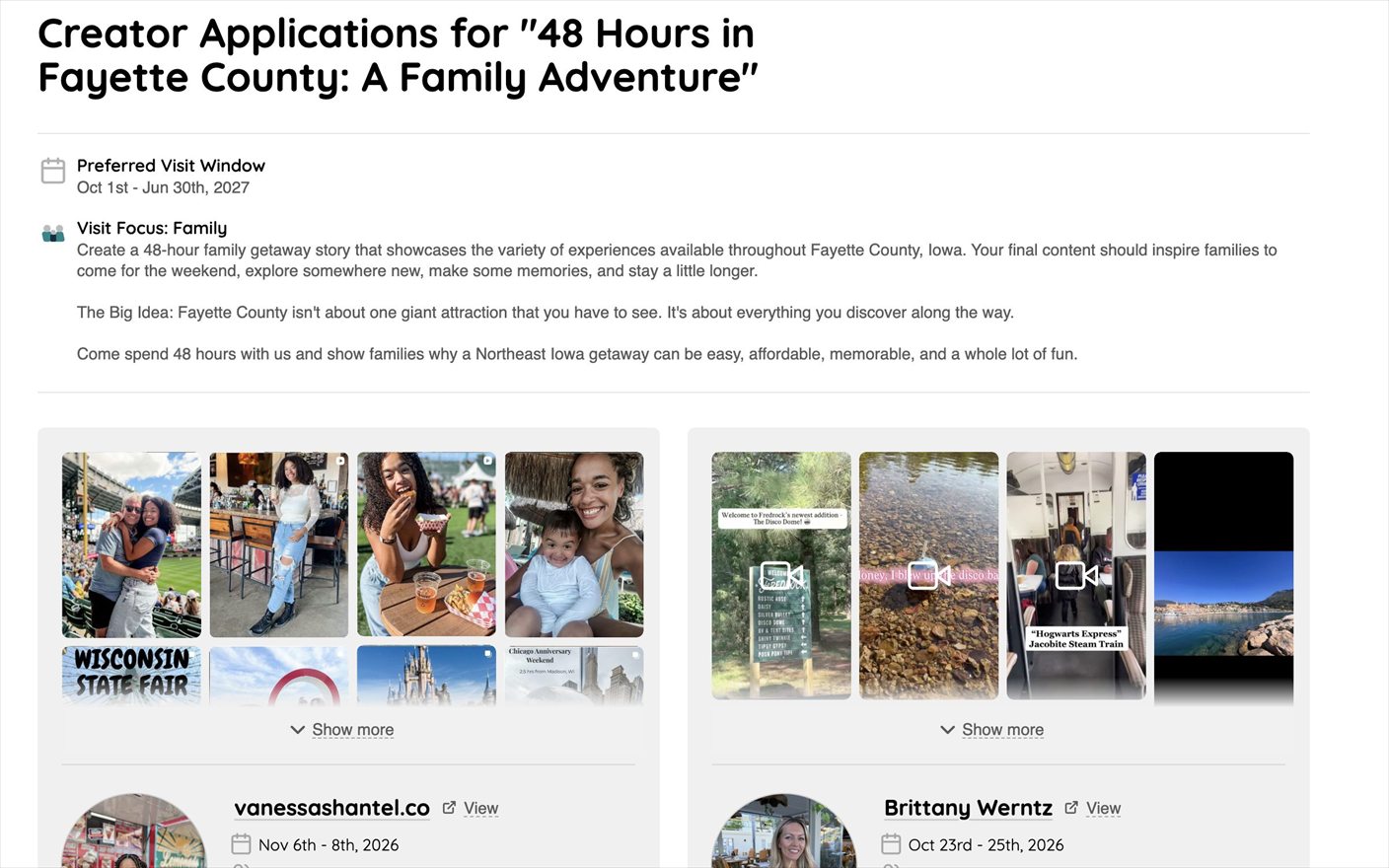
Once the visit is live, creators apply. Choosing between them is often a group decision.
So the applicant list shares the same two ways. Send a public link or a printable PDF of the full list, and your board or committee can look through every candidate and their work side by side, then tell you who they want. Nobody has to be set up with credentials just to look at a list of creators.
A typical review cycle
Plan it on paper
Print the Visit Planning Worksheet (PDF, opens in a new tab) and work through it with your team or your board. Settle the window, the focus, and the locations before anyone opens a laptop.
Draft the visit
Open the Creator Visits back on Shrpa and enter what your group agreed on.
Send the draft around
Share the public link or the PDF with your team, board, or partners, and give them a date you need comments back by.
Make the edits, then post
Fold the feedback into the planning form and post the visit. Creators can now see it and apply.
Share the applicants
As applications come in, send the applicant link or PDF to whoever is helping you choose.
Pick your creator
Make the selection back in Shrpa and the visit moves ahead to scheduling and the visit itself.
Coordinate the visit
Ensure the creator has the right contacts, the right itinerary, and the right expectations for a successful visit.
Reviewers never need a Shrpa account
The draft link and the applicant link are both public, which is the point: getting a board member issued credentials for a fifteen minute review is friction nobody needs. Anyone with the link can open it. Treat them the way you would treat any unlisted document and send them to the people who should see them.
Start earlier than feels necessary
Reviews take longer than the review itself, because boards meet on their own schedule. Build the draft well before you need the visit live so a round of feedback does not push your dates.